AI Landscape Design From A Photo: Planning A Garden Before You Dig
Use AI landscape design from a photo to plan planting zones, paths, privacy, and seating for a front or back yard, and learn what the image cannot tell you.
 RoomMaker AI Team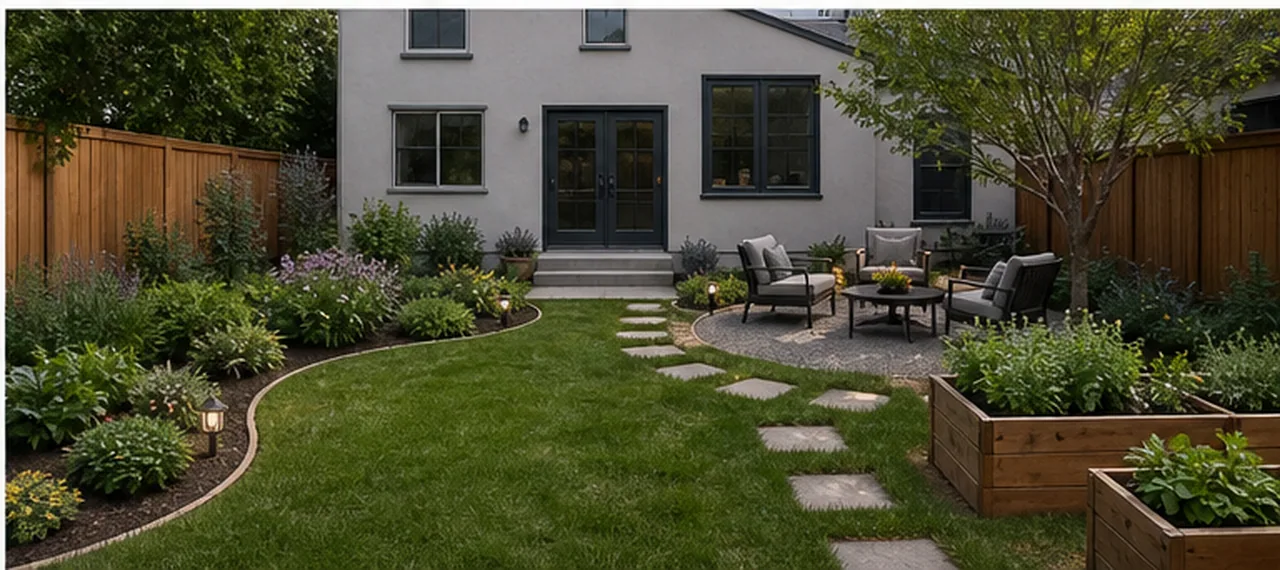
Garden work is hard to undo. A path laid in the wrong place has to be lifted again, and a bed dug too close to the house stays a nuisance for years.
AI landscape design lets you test a layout on a photo of your own yard before anyone picks up a spade. You get a picture of the same yard with beds, paths, and seating drawn in. It is a concept image, not a planting plan, and this article is as much about that limit as it is about getting a good result.
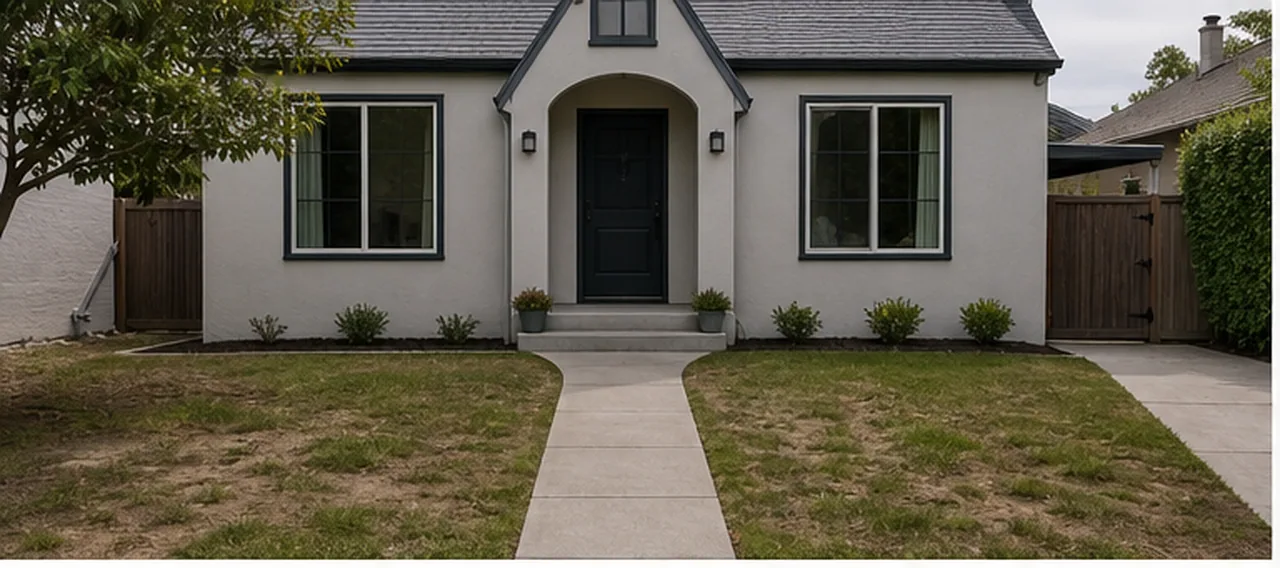 Before
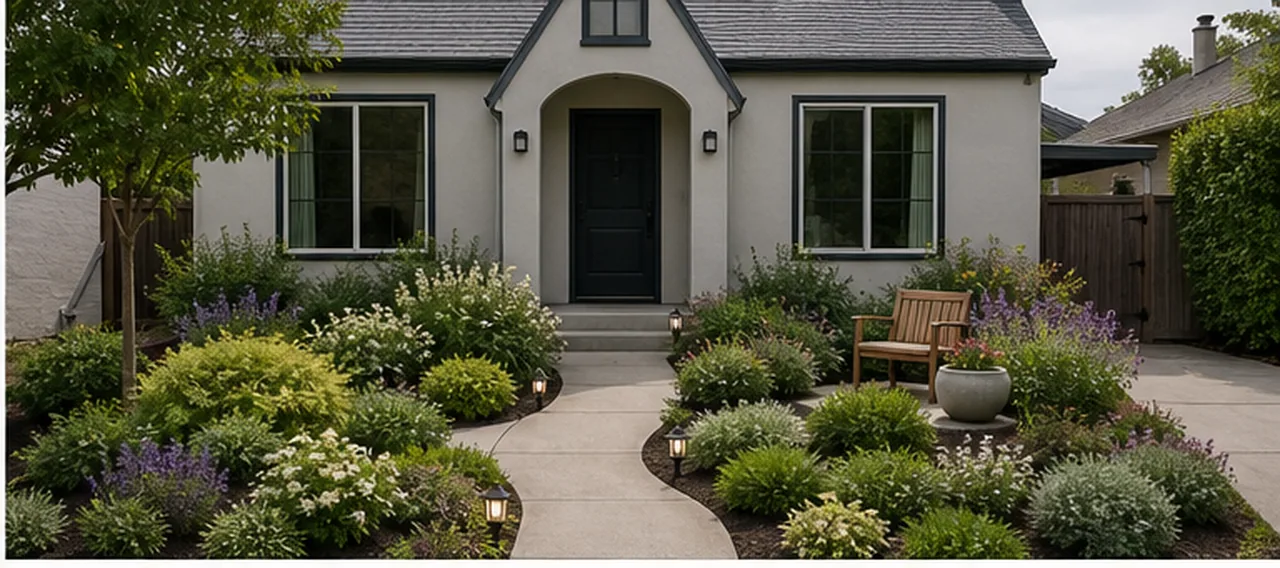 After
AfterWhat AI landscape design from a photo is good for
A garden concept from a photo is useful for decisions about layout and proportion:
- Comparing layouts. A curved bed or a straight border, lawn or gravel, one seating area or two.
- Judging proportion. You can see how much of the yard a patio or a bed takes up before it exists.
- Agreeing at home. A picture settles "what do you mean by a cottage garden?" faster than a conversation does.
- Briefing a professional. A landscaper or nursery can respond to an image more easily than to a description.
In the AI landscape design and garden planner, you upload a yard photo and describe the maintenance level, the planting style, the paths you need, and how you want to use the space.
Many people search for free AI landscape design, so here is how the cost works. RoomMaker AI shows a first Basic preview with a watermark before you pay, which is enough to judge whether a layout is worth pursuing. Watermark-free downloads use paid credits.
Front yard or backyard: take the right photo
The two sides of a house answer different questions, so photograph them differently.
A front yard is about arrival. It shapes how the house looks from the street and how you reach the door. Stand on the pavement, face the house straight on, and include the whole front wall, the path to the door, and the edge of the driveway.
A backyard is about use. Sitting, eating, playing, and growing all compete for the same ground. Stand at the back door or in the far corner, and include the fences on both sides so the edges of the yard are visible.
For both:
- Shoot in soft or overcast light. Hard midday shadows hide the ground.
- Keep the camera level and include the ground right up to your feet.
- Move bins, hoses, toys, and cars out of the frame.
- For a narrow side yard, shoot along its length.
What to ask for: planting zones, paths, privacy, and seating
"Make it beautiful" produces a generic garden. Four specific requests produce a useful one.
- Planting zones. Say where the beds go and how much care you can give them. "A planted bed along the left fence, lawn kept in the centre, low-maintenance shrubs and ground cover" is clear. Mention sun and shade if you know them.
- Paths. Give a start and an end, such as "stepping stones from the back steps to the seating area". Say if an existing path must stay.
- Privacy. Point to where you are overlooked. "Screen the view from the neighbour's upstairs window on the right with tall planting or a trellis" works better than "more privacy".
- Seating. Give the number of people and the position, such as "a seating area for four near the house" or "one bench by the front path".
Then name what stays: the house, the fence, a mature tree, the shed, the steps.
Here is a full example for a backyard:
Low-maintenance backyard. Keep the fence, the back steps, and the lawn in the middle. Add a curved planting bed along the left fence, a gravel seating area for four near the house on the right, stepping stones from the steps to the seating area, and two raised vegetable beds in the sunny right corner.
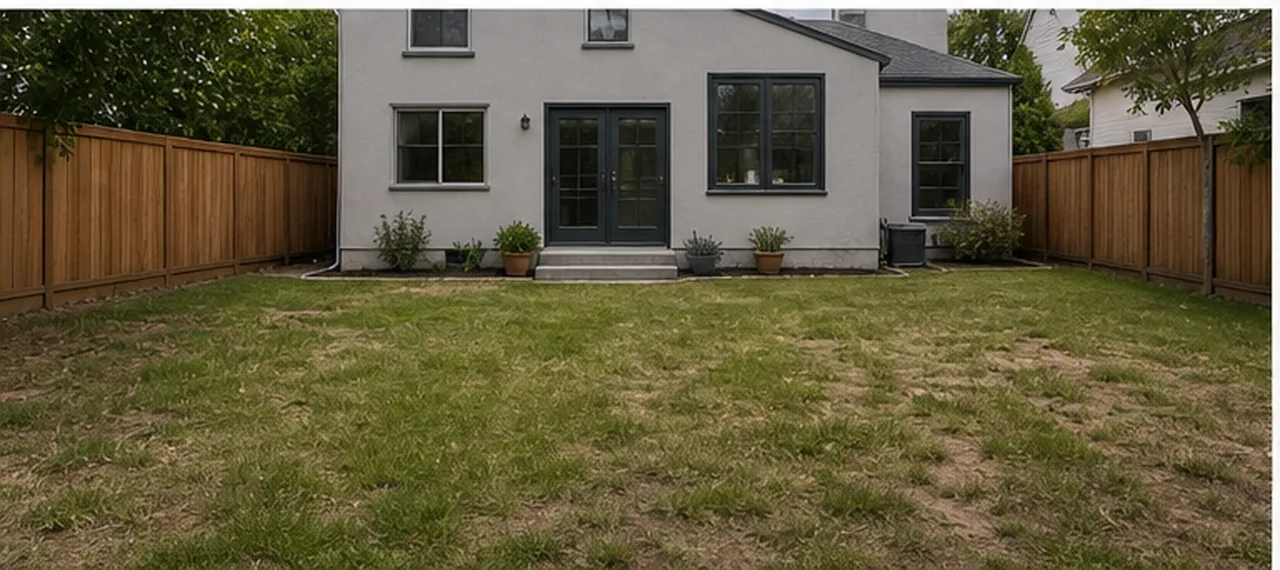 BeforeAfter
What the image cannot tell you
An AI garden image is a sketch of intent. Treat it that way.
- It is not a planting plan. The plants in the picture are generic. The image does not name species, and it does not know whether they survive your winters, soil, or rainfall.
- It is not a survey. There are no measurements, levels, or boundaries. A sloping yard can look flat in a photo.
- It is not a drainage design. Paving and new beds change where water goes. If water already pools in the yard, or the ground slopes toward the house, get advice before you build.
- It cannot see underground. Pipes, cables, and tree roots do not appear in a photo. Have buried utilities located before you dig.
- It does not know local rules. Fence heights, front-yard paving, tree removal, pools, and homeowner association rules vary from place to place.
For all of these, check your local climate, drainage, and building codes with a professional: a landscape designer, a contractor, a local nursery, or your local authority. The image also shows plants at one size. Real plants take several seasons to fill a bed.
Pair the garden with exterior paint, facade, and patio previews
A garden is seen against the house, so the two decisions affect each other. If the exterior is changing as well, preview it with the planting in mind:
- The whole front. AI home exterior design previews a facade style and curb appeal while the windows, doors, and roofline stay fixed.
- Colour and cladding. The exterior paint color visualizer compares siding, trim, and door colours. Settle these before you choose plant colours, because a dark wall and a white wall need different planting in front of them.
- Hard surfaces. The patio and pool design preview tests the size of a patio, paving, shade, and the scale of a pool in a backyard photo.
Work from the fixed and expensive items toward the flexible ones: facade and paving first, planting last. For more before and after examples, see the exterior projects in the AI room design gallery.
Before you dig: a short checklist
- Generate two or three layouts from the same photo and choose one.
- Mark it out on the ground with string or a garden hose, and live with it for a few days.
- Measure the yard. Note where the sun falls through the day and where water sits after rain.
- Take the image and the measurements to a nursery or landscape professional, and ask for plants that suit your climate.
- Check for buried utilities, permits, and any association rules.
- Then dig.
The value of the image is that mistakes on a screen cost almost nothing. Mistakes in the ground cost a weekend, or a season.
